
Mipony, your download manager
Mipony is a download manager specially designed to optimize and automate the downloads.
Mipony's features:
Fully AUTOMATIC download.
It optimizes your connection.
Works with PREMIUM accounts.
Download:
Direct downloads
Bittorents
Youtube videos and audios
Ponydroid: Mipony for Android
Install Ponydorid on your Android smartphone and tablet and enjoy the convenience of downloading files.
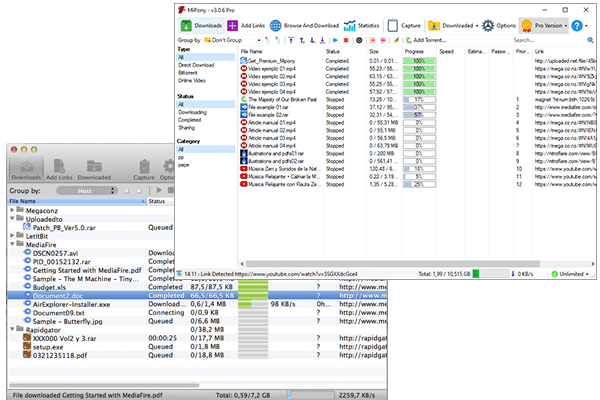
Optimize and automate the downloads
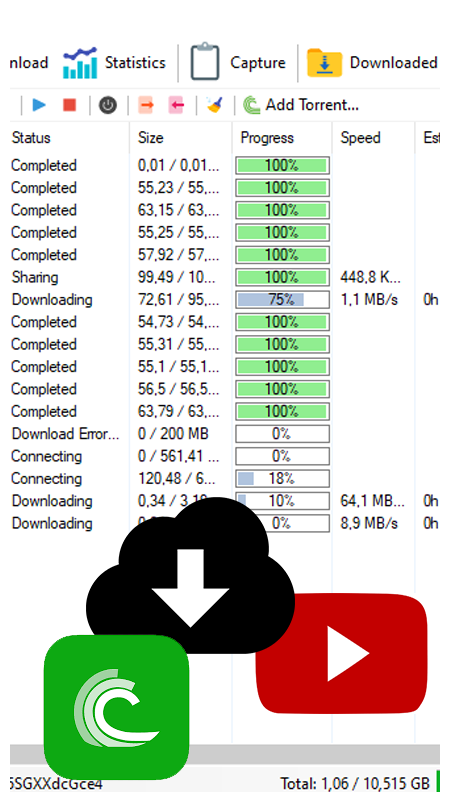
Download Direct downloads, Bittorents and Youtube videos and audios
With this download manager you will enjoy comfortable features when it comes to downloading files by avoiding host sites inconveniences. Mipony is in charge of everything, it accesses the web where the file is hosted, it waits the required time and starts downloading them one by one.
Put the addresses of the files in Mipony and the program will be in charge of everything to have the files downloaded as fast as possible.
Support for all kinds of download

Bittorents

Direct downloads

Youtube and Vimeo videos
Fully AUTOMATIC download
Control how many files can be downloaded simultaneously from each server.
Download attempts
If by any chance the file shows an error during the download, Mipony will be in charge of performing the necessary attempts automatically until the file is downloaded.
Continuous download
Once the link has been added to the download list, the files will be downloaded while you navigate and if you close the download program, the downloads will be restarted when you start the program again.
Update of the data base of supported sites
Automatic update of the data base with the sites supported. Mipony updates automatically to keep working with files download sites and it is constantly adding new sites to the supported websites.
See the sites supported
Unrestrictors supported
Mipony manages "unrestrictor" servers like Alldebrid, Realdebrid, etc. It also supports "link encryption" sites, after adding "encrypted" links Mipony will access the files.
Windows & Mac version for Mipony
Mipony interface for Windows
Full download screen
On the Downloads screen you have the possibility to organize the downloads in groups or set filters. You even have the option to manage categories to organize downloads.
Add links easily
You can add links using automatic link capture from the clipboard. The support of DLC files and Click'n load downloads makes the software easier to use.
Integrated browser
Mipony includes a browser that allows you to navigate over the Internet. The advantage is that it can detect the links to download files so, in just a click you will be able to add the links to your download list.
Mipony interface for Mac
Interface adapted for MAC
Mipony is available for Mac users. In the Downloads window you can get all the information about the download files status.
Intuitive and easy to use
On Mac and Windows, compressed files can be automatically extracted when the download has finished.
Custom settings
From the Options window, on Mac and Windows, you can manage your premium accounts, remote access and speed limits.